Monday, October 23, 2006
Imperfection of the Maya 7 green version
It seems like everytime when I tried to apply material to an object in the green version of Maya 7 I made, the application will crash and burn. Oh well, I knew that hacking stuff is prompt to have problem :-I .

Saturday, August 19, 2006
Color Scheme resources, online and offline
I was trying to find a way to find a right color scheme in an organized way instead of random testing color. I eventually found this downloadable web based tool called "Color Scheme 2" which pretty much does my job. And the best part is that I can even put it in my Pocket PC! Although I have to say that it's pretty darn slow on my Pocket PC.
Other online color scheme resources:
- EasyRGB
- A bunch of color Tools online
- Pallette Test
- Color Palette Generator : Generate color palette based on a photo
- Color Palette Creator : Inspirated by this create palette article
Other online color scheme resources:
- EasyRGB
- A bunch of color Tools online
- Pallette Test
- Color Palette Generator : Generate color palette based on a photo
- Color Palette Creator : Inspirated by this create palette article
Suitcase 9.2 truly is portable
Just found out that Suitcase 9.2 true is portable! I create several set of font group on my home machine while the whole Suitcase 9.2 application is on my removable harddisk. I unplugged the harddisk and plugged it to my note, and found that all of my font groups are still there. This is awesome because that means wherever I go I got the same set of font group I organized.
Monday, August 14, 2006
Suitcase for Windows - Using font without comittment
I found it amazing cool that Extensis Suitacse 9.2 is actually portable friendly. Now I can have a font set in my removable harddisk, and access thse fonts wherever I go! Sure, it has problem preview the current system fonts, but all I care is the ease of accessing fonts on my USB HD, and for that it works good.
BTW, it's always a good idea to restart an application before using it after a set of font was activated, otherwise the font on the app will act strange.
As I expected, Suitcase has problem dealing with Chinese fonts, particularly:
- It does not work with Chinese .TTC (Font Collection).
- It cannot recognize Chinese font name, and display a blank name instead. And it even has problem loading more than one Chinese font since it sees all these attempteed to be added fonts with the same name, BLANK. There are some fonts that work though. Strange.
So I guess I need to find some way to rename a font and heck to make it work. Once a chinese font is being activiated, it works pretty well, though.
BTW, it's always a good idea to restart an application before using it after a set of font was activated, otherwise the font on the app will act strange.
As I expected, Suitcase has problem dealing with Chinese fonts, particularly:
- It does not work with Chinese .TTC (Font Collection).
- It cannot recognize Chinese font name, and display a blank name instead. And it even has problem loading more than one Chinese font since it sees all these attempteed to be added fonts with the same name, BLANK. There are some fonts that work though. Strange.
So I guess I need to find some way to rename a font and heck to make it work. Once a chinese font is being activiated, it works pretty well, though.
Wednesday, June 07, 2006
3D Studio Max 8 hanging problem seemed to be resolved.
Today I seemed to have 3D Studio Max 8 hanging problem resolved by turning OFF the Autobackup by the following checking off the following checkbox:
[Cutomize]->[Preferences ...] ->tab "File"->Auto Backup. [ ] Enable
I also set the viewpoint Display drivers to OpenGL instead of DirectX. I doubt about this is a related factor, though.
Now that I have the desktop one working OK, I am trying out the VMWare version and see how goes.
[Cutomize]->[Preferences ...] ->tab "File"->Auto Backup. [ ] Enable
I also set the viewpoint Display drivers to OpenGL instead of DirectX. I doubt about this is a related factor, though.
Now that I have the desktop one working OK, I am trying out the VMWare version and see how goes.
Cure 3D studio Max 8 crashing
I was a bit fustrated by the constant crashing of 3D STudio Max 8 on both my work machine and the VMWare. Maybe this article can help fixing some of the mess.
Tuesday, June 06, 2006
Installing 3D Studio Max 8 on VMWare
In order to faciliate my "3D modeling everywhere" dream, I have 3D Studio Max 8 installed on a VMWare system on my removable harddisk. It works pretty OK. The only catch it take I have to set the 3D engine to Software instead of DirectX or OpenGL. Other than that it seems fine.
I also have Service Pak 3 install. No problem encountered so far.
I also have Service Pak 3 install. No problem encountered so far.
Saturday, June 03, 2006
Strange thing about Painter IX with myGraphite 4 on my desktop PC
Last night I experienced something a little bit strange: the 2B Pencil tool in Painter IX doesn't look right on my desktop. I know this has nothing to do with Graphite 4, and probably has more to do with my display and the nVidia graphic card. The symptoms is this: it seems like the anti-alising was not done too well with the 2B Pencil. A lot of rough edges was formed on the screen, makes the result looked very odd.
I twisted left and right, and finally found that adjusting the min size and size step seems to help a little bit. But at the end, I blame the stupid LCD screen. :-m
I twisted left and right, and finally found that adjusting the min size and size step seems to help a little bit. But at the end, I blame the stupid LCD screen. :-m
Wednesday, May 31, 2006
Now I remembered why using Poser is such a fustrating experience
One thing that makes using Poser such a fustrating experience is that there's no simply way to lock a part while you trying to modify the other part of the body or props. So a lot of times I accidentally moved the parts I didn't want to move simply because the program didn't pick up the mouse click I had on the screen properly. Maybe there are ways to correct such a problem. Maybe there are ways to lock things properly. Obviously, I am still searching for it.
Dozens of artisitc animation shorts
You may have watched a lot animation shorts from YouTube.com. I found most of those clips entertaining more in the sense of teenager taste (lots of smashing, frating and such).
Recently I came across a site which host a dozen of more artistic animation shorts. They are candidates of a animation shorts competition, and I think they deserve you viewing time and vote. So take a lot at http://www.animex.net/audience and enjoy some nicely done animation short by today's young people.
Recently I came across a site which host a dozen of more artistic animation shorts. They are candidates of a animation shorts competition, and I think they deserve you viewing time and vote. So take a lot at http://www.animex.net/audience and enjoy some nicely done animation short by today's young people.
Endorphin version 2.5.2 Retail version?
Found NATURALMOTION ENDORPHIN VERSION 2.5.2's retail version at this web site. And it was like: is this for real. Fortunately it doesn't catch up to the retail version 2.6. But still, scary.
Tuesday, May 30, 2006
endorphin 2.6 - More links to fun download
Here's more link to downloads stuff related to Endorphin. I definitely will spend sometime to try it out:
- Community Forum for posting question and sharing information about Endorphin
- Download tons of tutorial video to learn Endorphin.
- Download the LE version
OH, and I found out that I can turn Endorphin 2.6 LE as a portable application. Sweet. Now I can learn it wherever I have access to a PC.
- Community Forum for posting question and sharing information about Endorphin
- Download tons of tutorial video to learn Endorphin.
- Download the LE version
OH, and I found out that I can turn Endorphin 2.6 LE as a portable application. Sweet. Now I can learn it wherever I have access to a PC.
Monday, May 29, 2006
Trying out my my Graphire 4
I brought my Graphire 4 to work so that I could spent some time to really try it out (sort of trying to optimize my lunch time) and had the following tidbit finding:
- I need to explictly trun on the tablet proption setting . By default it fully utilize the tablet area, but may not proptionally match the screen . This may create some ill effect when I sketch, so I definitely need to turn this feature on when I get back home.
- So far the best to sketch on the tablet is using Painter IX, and I haven't even start using any brush other than 2B Pencil :> . It feels very nature, and I really realized that what hidders me from making good sketch is just my drawing skill. Practice. Practice.
- I need to explictly trun on the tablet proption setting . By default it fully utilize the tablet area, but may not proptionally match the screen . This may create some ill effect when I sketch, so I definitely need to turn this feature on when I get back home.
- So far the best to sketch on the tablet is using Painter IX, and I haven't even start using any brush other than 2B Pencil :> . It feels very nature, and I really realized that what hidders me from making good sketch is just my drawing skill. Practice. Practice.
Natural Motion's Endoprhine LE 2.6 - Great toy
You can think of the Natural Motion's Endophrine LE 2.6 as a great 3D toy for you to see what happen if you push someone from the edge of a hill. Sadist, but hell, so is Poser >.:-} .
Sunday, May 28, 2006
Wacom Tablet pen not interchangable
I tested out 3 different Wacom tablet (ArtZ, Graphite 4 and FT-0405-U02 which actually is a Chinese writing recognition pad but using Wacom tablet), and found that each of them has special wireless pen and they are not interchangable.
Saturday, May 27, 2006
My first day of using Graphire 4 6x8 inch Tablet
Here I am testing the Wacom Graphire 4 6x8 inch Tablet on my home workstation (regular Pentium 4 2.8GHz with 1Gb of memory) and my notebook computer (Compaq Presario with P3 1GHz with 512M of RAM). Here's some of the finding I had so far:
- So far I love the new Wacom. Using the 6 x 8 is really a much better sketching experience comparing with my old 5 x 4 pad.
- I was a bit upset that the old pen that comes with old ArtZ tablet does not work with Graphire 4. But then I was EVEN MORE UPSET when I found out that the few test stroke I made on the Graphire 4 tablet using the old ArtZ pen left a few NON-DESTRUCTIVE but visible mark on the tablet. Again, it's non-destructive and it didn't really scratch the surface. It just left some visible mark. But then, AHHHHhhhh my supposed to be perfect tablet now has a few scare by it's grandma model !! The new pen is of course perfect fit for the new tablet and left no scar on the surface no matter how hard I sketch.
- I got the Pearl white model. Now this little baby will look totally match with the MacMini Intel version that I most probably will get in the future. Sweet :->
- The price I paid seems very reasonable: HK$1199 - Hk$150 Wacom ArtZ tablet trade in --> So I paid HK$1049 for the tablet as the result. Very nice price consider that amazon.com is selling it at $172.98 . With sales tax, it will cost HK$1463. And can someone tell me why the pearl white model is the most expansive one among all models. Is it simply because it matches the MacMini better?
- My old Artz was made in Japan. This new pad is made in China. Nothing. Just a note.
- Now I have completely no excuse of the tablet making me draw badly. If the sketch looks badly, it's because me myself.
- I experience some minor glitch which I don't think it's the problem of the tablet, but rather the way Painter IX interpret some pen stroke. I sometime got a tiny dot when I use pen/pencil to shade an area. Guess I need to experiment more to find a work around to the problem.
- I also experience something interesting: on both the desktop PC and the laptop, the Photoshop CS and Painter IX has no problem keeping up with my sketching on it (I use pencil tool) no matter how fast I draw, but openCanvas 3.03 and 4.03 has problem, and created some angled lines if I draw too fast. Interesting enough, the problem was not as obvious on the laptop as on the desktop, which is strange consider that my laptop has less CPU power. But then the screen on my desktop is much bigger (1280x1024 on desktop, while 1024 x 768 on laptop).
- I really need to keep the tablet away from my 4 year old nephew. Within the last 5 hours he had multiple attempts to use things other than the tablet pen to draw on the Graphire 4. Obviously he thought my tablet can tolerant that same kind of abuse he imposed on his Doddle Doddle pad. The destruction power of children is simply unbelievable. Time to execute the South Park plan: kick the baby.
- Without installing the driver, the tablet will work as a generic tablet but only utilize 3/5 of the tablet space. After installing the driver it optimized the tablet surface utilization to the max.
- For some strange reason, I found using my laptop with my Graphire 4 a slightly better sketching experience than using the desktop. This is probably due to the cleaner environment (much less crappy installed on my laptop). This is a great founding. It proves that even though my laptop is about 5 years old, it's still very capable as a mobile creative station. I have no problem using it with my M-Audio Firewire Solo, and now with my Graphire 4. Nice.
- I found myself enjoying the wheel and the two button on the tablet very much. I mapped the left button to space so that I can use it to zoom in. And then I mapped the right button to Control. The scroll becomes zoom on Painter. Very very handy.
- I may even start to permenatly hook the tablet to the laptop so that I can sketch whenever I feel like knowing that my laptop is on all the time.
- I am NOT going to install any software that comes with the tablet. They are all cheesy version of software that I already have. Maybe I'll use those software for future upgrade, though.
- So far I love the new Wacom. Using the 6 x 8 is really a much better sketching experience comparing with my old 5 x 4 pad.
- I was a bit upset that the old pen that comes with old ArtZ tablet does not work with Graphire 4. But then I was EVEN MORE UPSET when I found out that the few test stroke I made on the Graphire 4 tablet using the old ArtZ pen left a few NON-DESTRUCTIVE but visible mark on the tablet. Again, it's non-destructive and it didn't really scratch the surface. It just left some visible mark. But then, AHHHHhhhh my supposed to be perfect tablet now has a few scare by it's grandma model !! The new pen is of course perfect fit for the new tablet and left no scar on the surface no matter how hard I sketch.
- I got the Pearl white model. Now this little baby will look totally match with the MacMini Intel version that I most probably will get in the future. Sweet :->
- The price I paid seems very reasonable: HK$1199 - Hk$150 Wacom ArtZ tablet trade in --> So I paid HK$1049 for the tablet as the result. Very nice price consider that amazon.com is selling it at $172.98 . With sales tax, it will cost HK$1463. And can someone tell me why the pearl white model is the most expansive one among all models. Is it simply because it matches the MacMini better?
- My old Artz was made in Japan. This new pad is made in China. Nothing. Just a note.
- Now I have completely no excuse of the tablet making me draw badly. If the sketch looks badly, it's because me myself.
- I experience some minor glitch which I don't think it's the problem of the tablet, but rather the way Painter IX interpret some pen stroke. I sometime got a tiny dot when I use pen/pencil to shade an area. Guess I need to experiment more to find a work around to the problem.
- I also experience something interesting: on both the desktop PC and the laptop, the Photoshop CS and Painter IX has no problem keeping up with my sketching on it (I use pencil tool) no matter how fast I draw, but openCanvas 3.03 and 4.03 has problem, and created some angled lines if I draw too fast. Interesting enough, the problem was not as obvious on the laptop as on the desktop, which is strange consider that my laptop has less CPU power. But then the screen on my desktop is much bigger (1280x1024 on desktop, while 1024 x 768 on laptop).
- I really need to keep the tablet away from my 4 year old nephew. Within the last 5 hours he had multiple attempts to use things other than the tablet pen to draw on the Graphire 4. Obviously he thought my tablet can tolerant that same kind of abuse he imposed on his Doddle Doddle pad. The destruction power of children is simply unbelievable. Time to execute the South Park plan: kick the baby.
- Without installing the driver, the tablet will work as a generic tablet but only utilize 3/5 of the tablet space. After installing the driver it optimized the tablet surface utilization to the max.
- For some strange reason, I found using my laptop with my Graphire 4 a slightly better sketching experience than using the desktop. This is probably due to the cleaner environment (much less crappy installed on my laptop). This is a great founding. It proves that even though my laptop is about 5 years old, it's still very capable as a mobile creative station. I have no problem using it with my M-Audio Firewire Solo, and now with my Graphire 4. Nice.
- I found myself enjoying the wheel and the two button on the tablet very much. I mapped the left button to space so that I can use it to zoom in. And then I mapped the right button to Control. The scroll becomes zoom on Painter. Very very handy.
- I may even start to permenatly hook the tablet to the laptop so that I can sketch whenever I feel like knowing that my laptop is on all the time.
- I am NOT going to install any software that comes with the tablet. They are all cheesy version of software that I already have. Maybe I'll use those software for future upgrade, though.
Friday, May 26, 2006
Say goodbye to my 10 years old Wacom ArtZ Pad
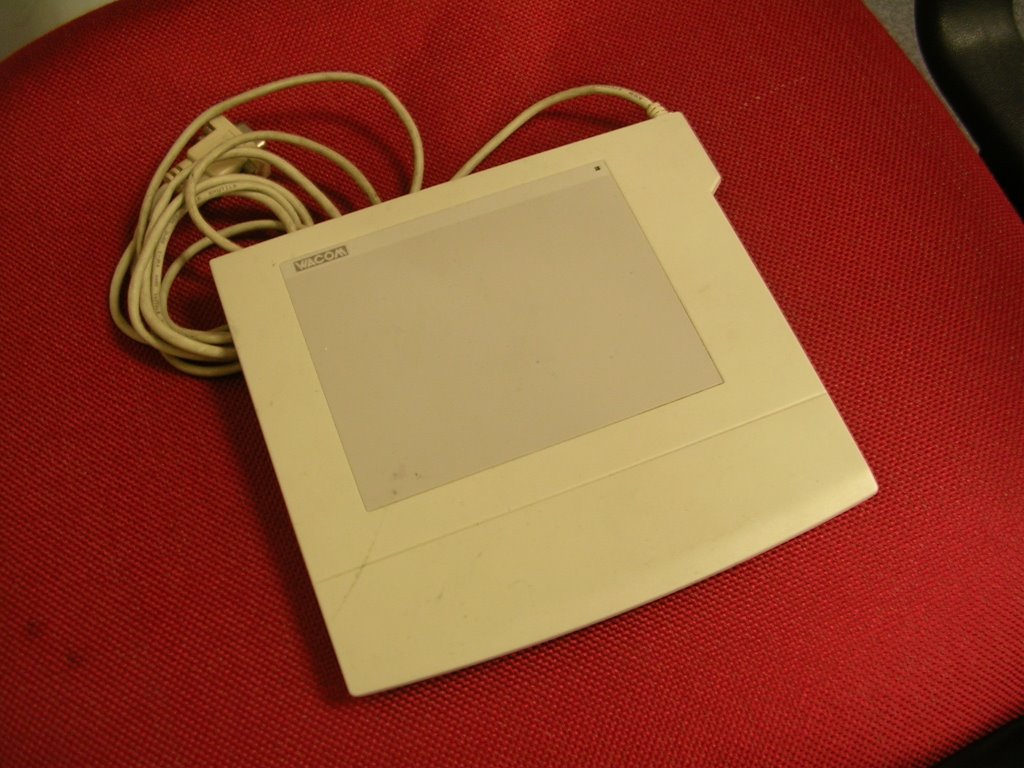
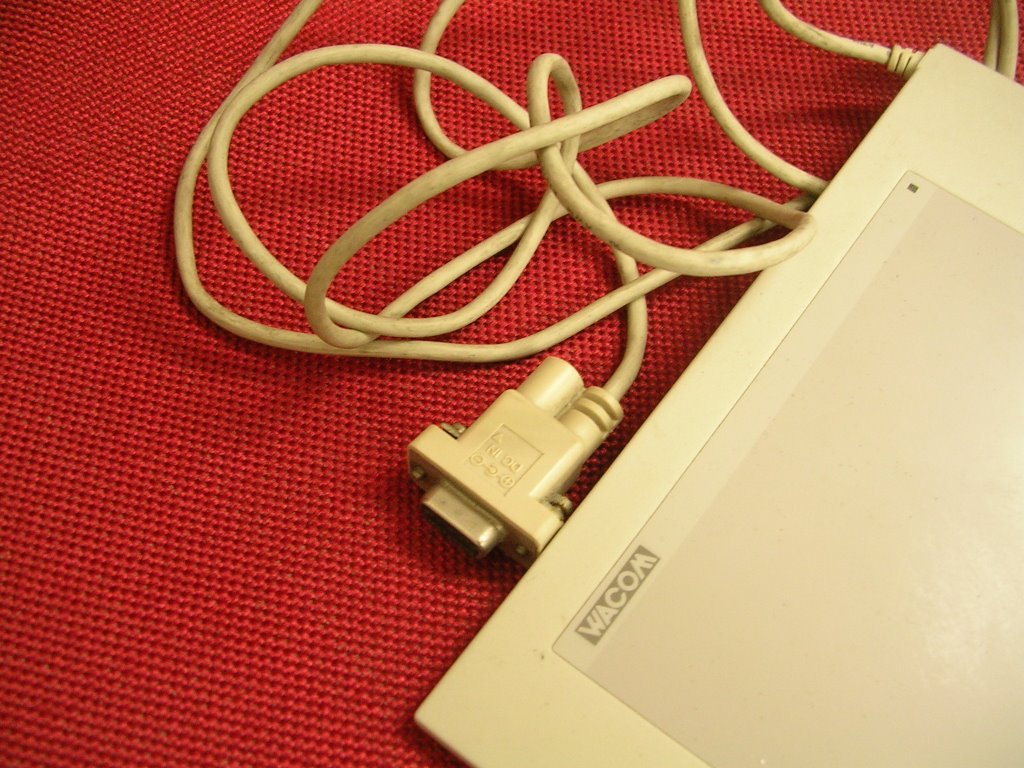
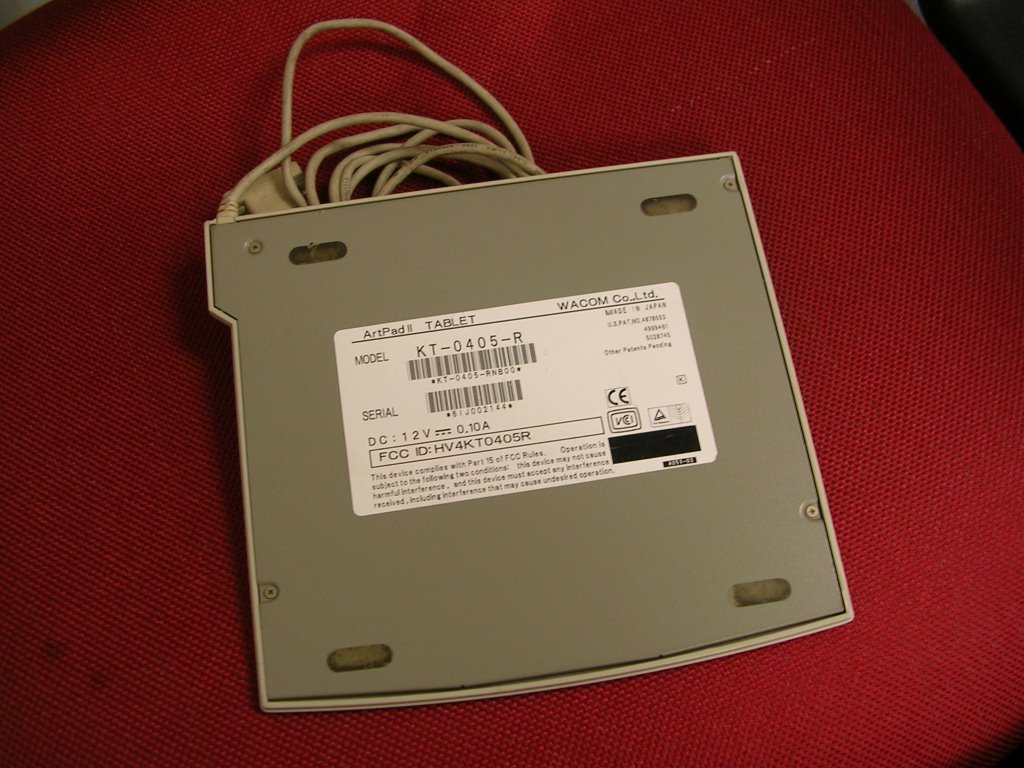

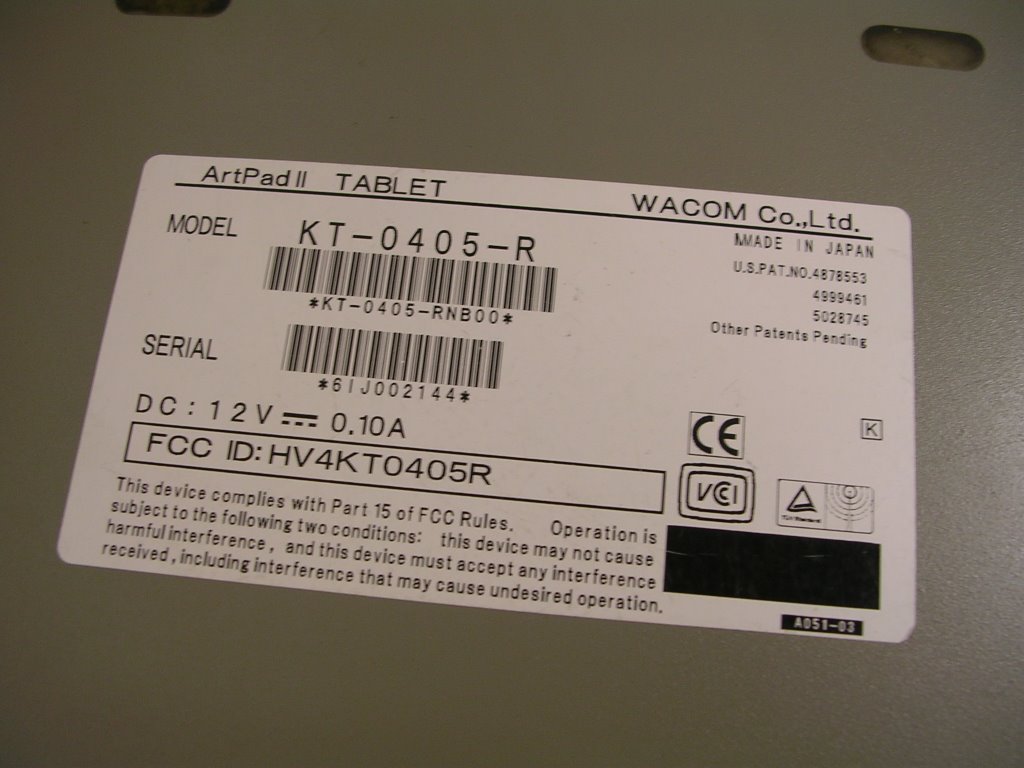
I am going to say goodbye to my 10 years old serial port ArtZ Pad. Here's all the photos that I took before I send it to the shop and use it as a HK$150 trade-in rebate.
Goodbye. ArtZ. I will miss you.
And HELLO my new 6x8 Graphire 4 :-D .
Tuesday, May 23, 2006
I just found out that Manga Studio 3 Debut cannot be installed on Windows Server 2003 since the installation program will abort in the middle of the installation process. However, Windows XP runs smoothly. In fact, I can make a portable version of it and put it in my removable harddisk. Totally sweet :> .
By the way, I found this trial version from a mainland China site.
By the way, I found this trial version from a mainland China site.
Poser 6 tutorial, and more
I like it when graphic tool companies spent time and effort to put up nice tutorial so that user can optimize the usage of the tool. eFrontier knows that well, so they put up some good introduction tutorial for me to learn their apps:
- Posing 101- Getting Started
- Getting Started with Manga Studio
- More about Posing in Poser
- More Manga Studio tutorial
-
- Posing 101- Getting Started
- Getting Started with Manga Studio
- More about Posing in Poser
- More Manga Studio tutorial
-
Subscribe to:
Posts (Atom)